
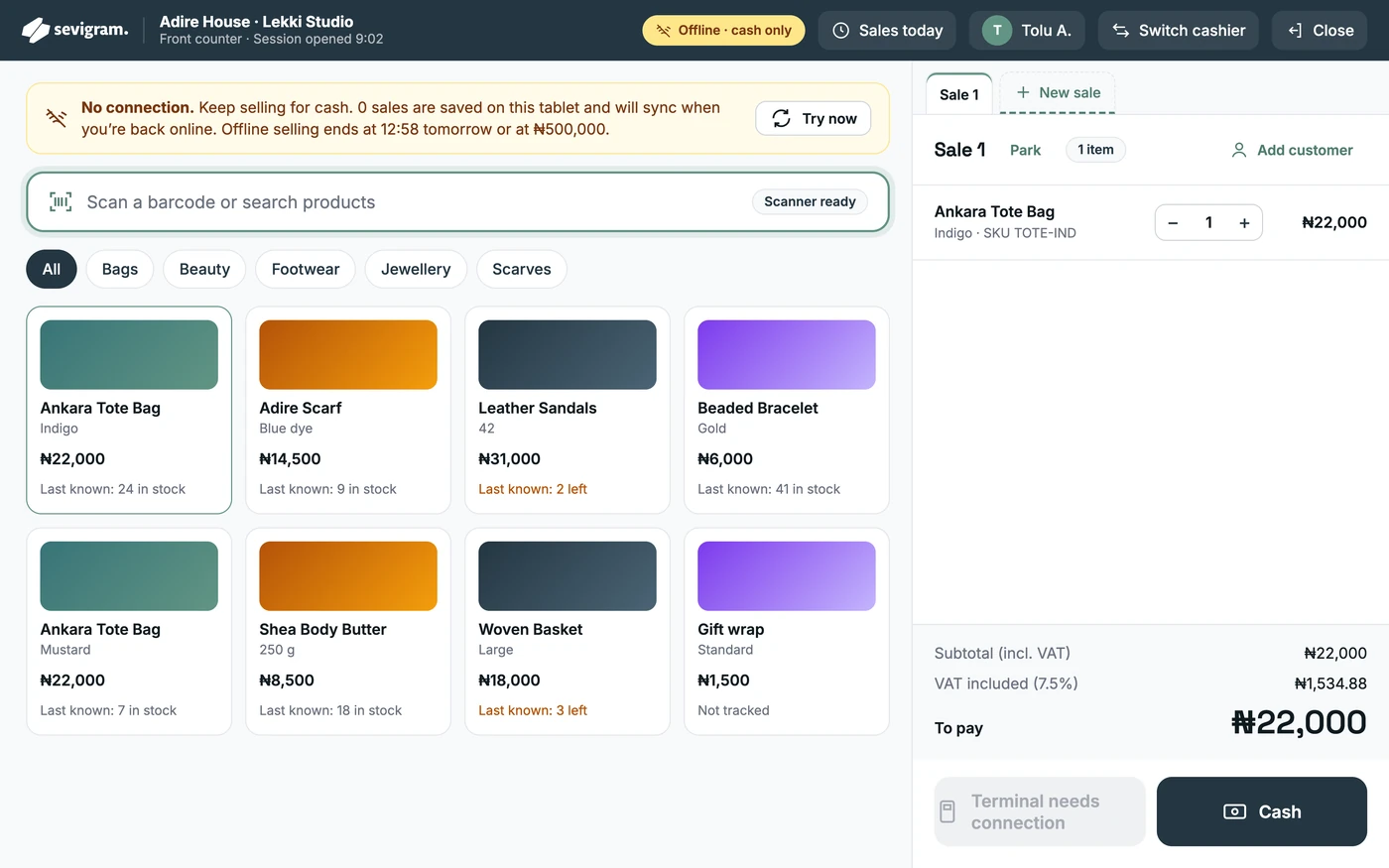
Offline? Keep taking cash
Sales are saved on the approved tablet and sync the moment you are back online.
A website that takes orders. A till that keeps selling when the network drops. One dashboard for stock, bookings, invoices and money.
No setup fee. Works on phone, tablet and laptop.
One business, every place you sell
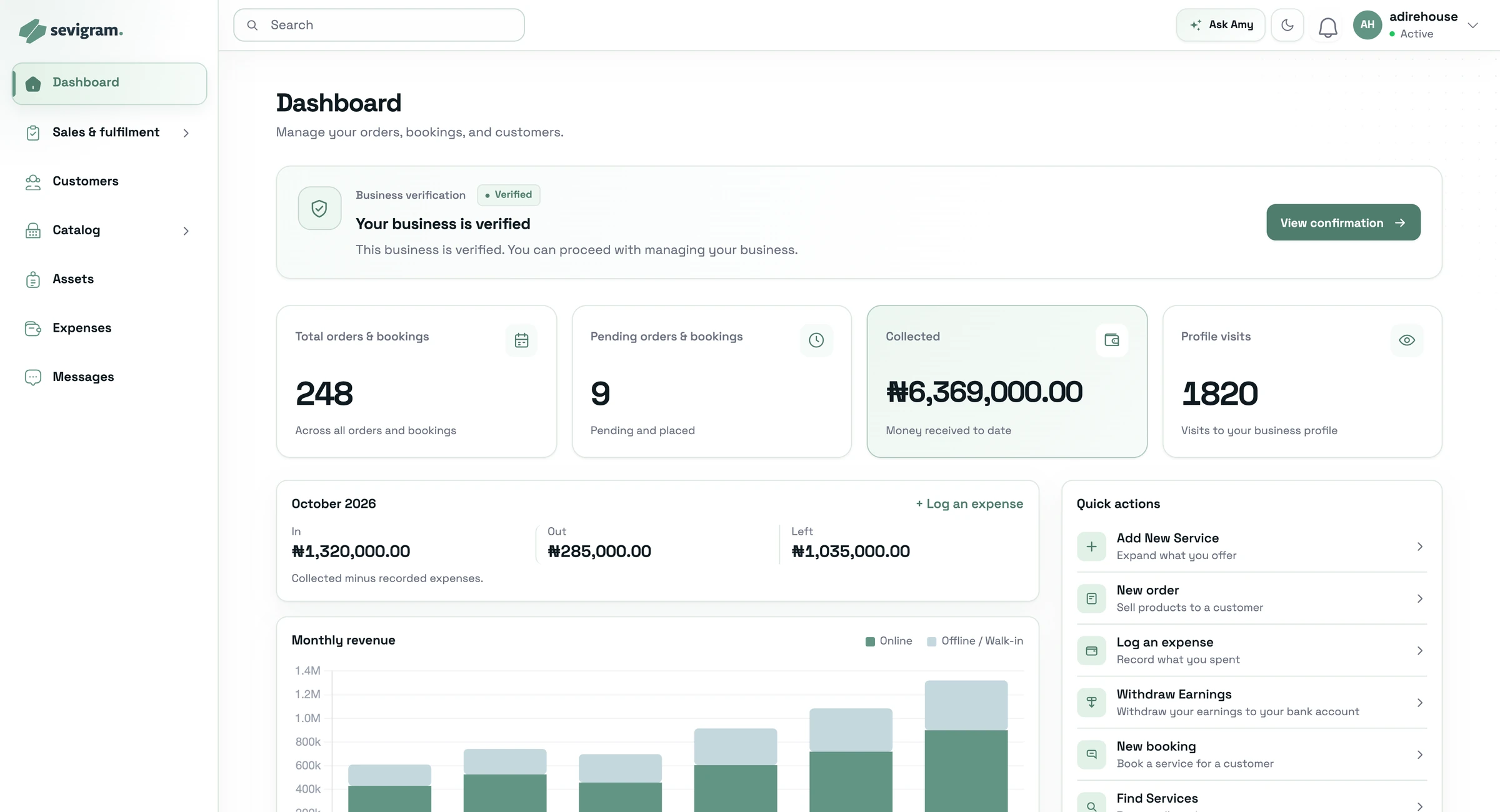
Your catalog, stock and customers stay the same whether the sale happens on your website, at your counter or through the Sevigram marketplace.
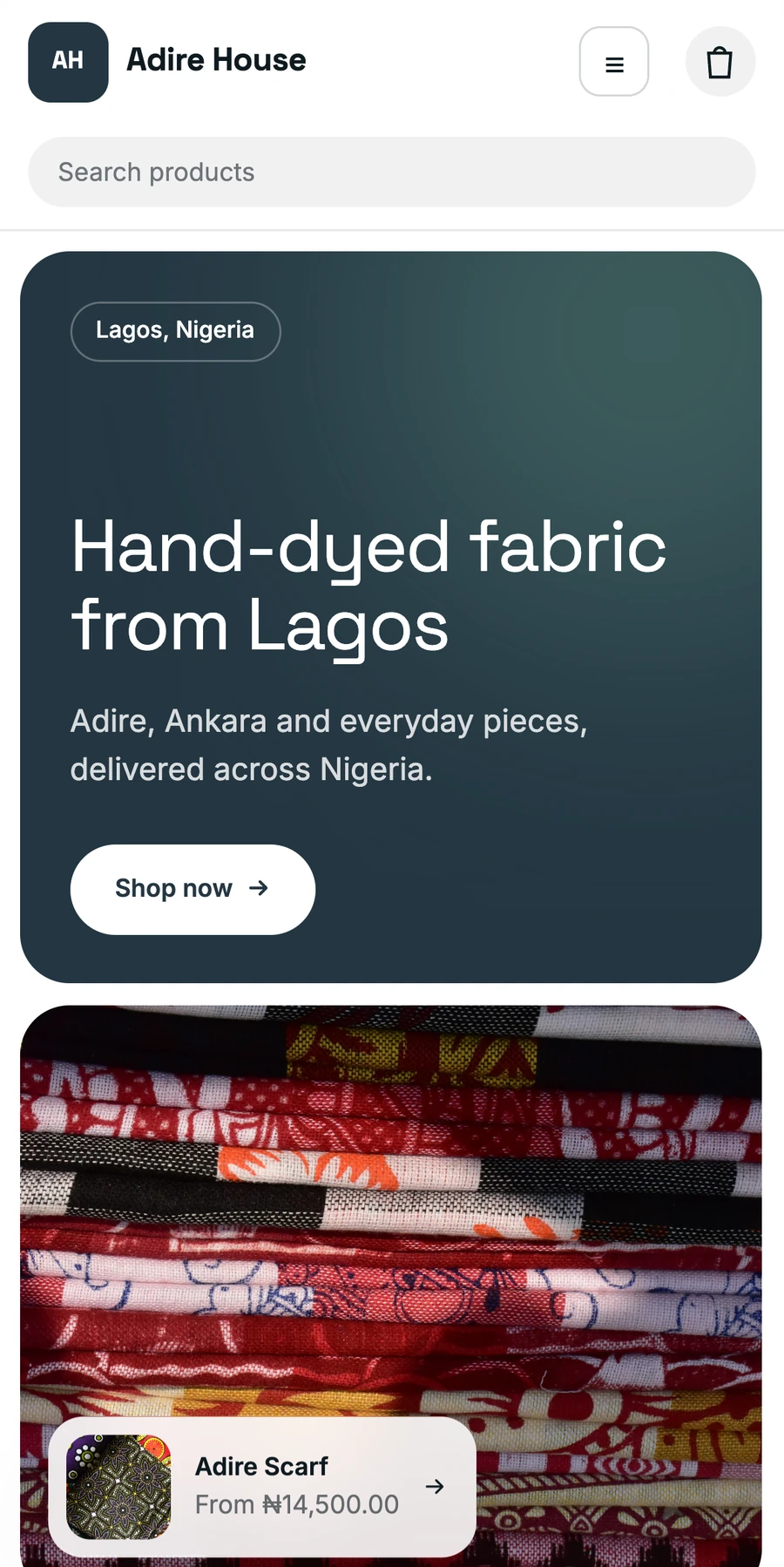
Your own website at yourbusiness.sevigram.biz, with checkout built in.
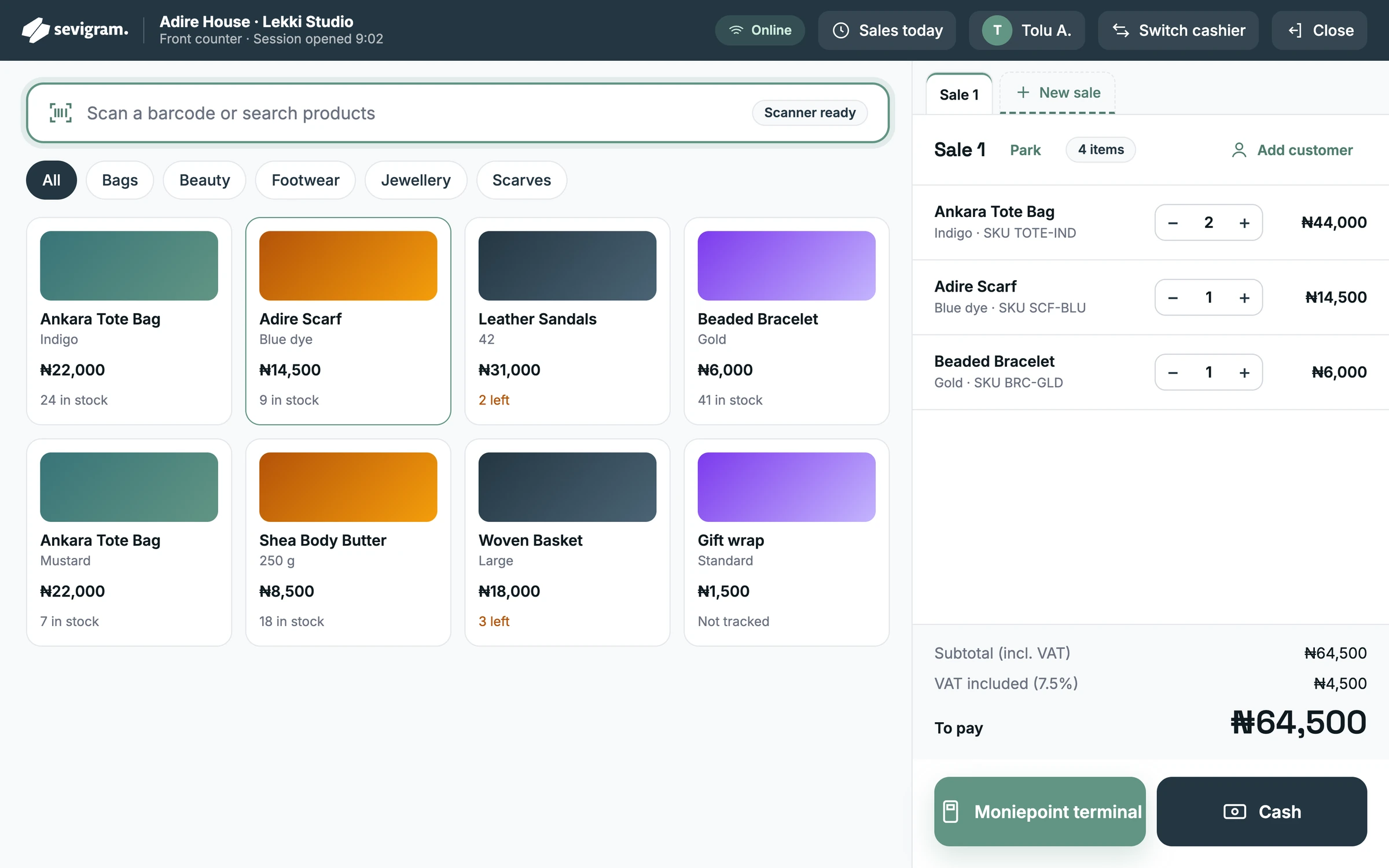
See the website builderA till on any tablet browser. Scan, take payment and print the receipt.
See the point of saleA public profile where customers near you can find, compare and book you.
How you get foundYour website
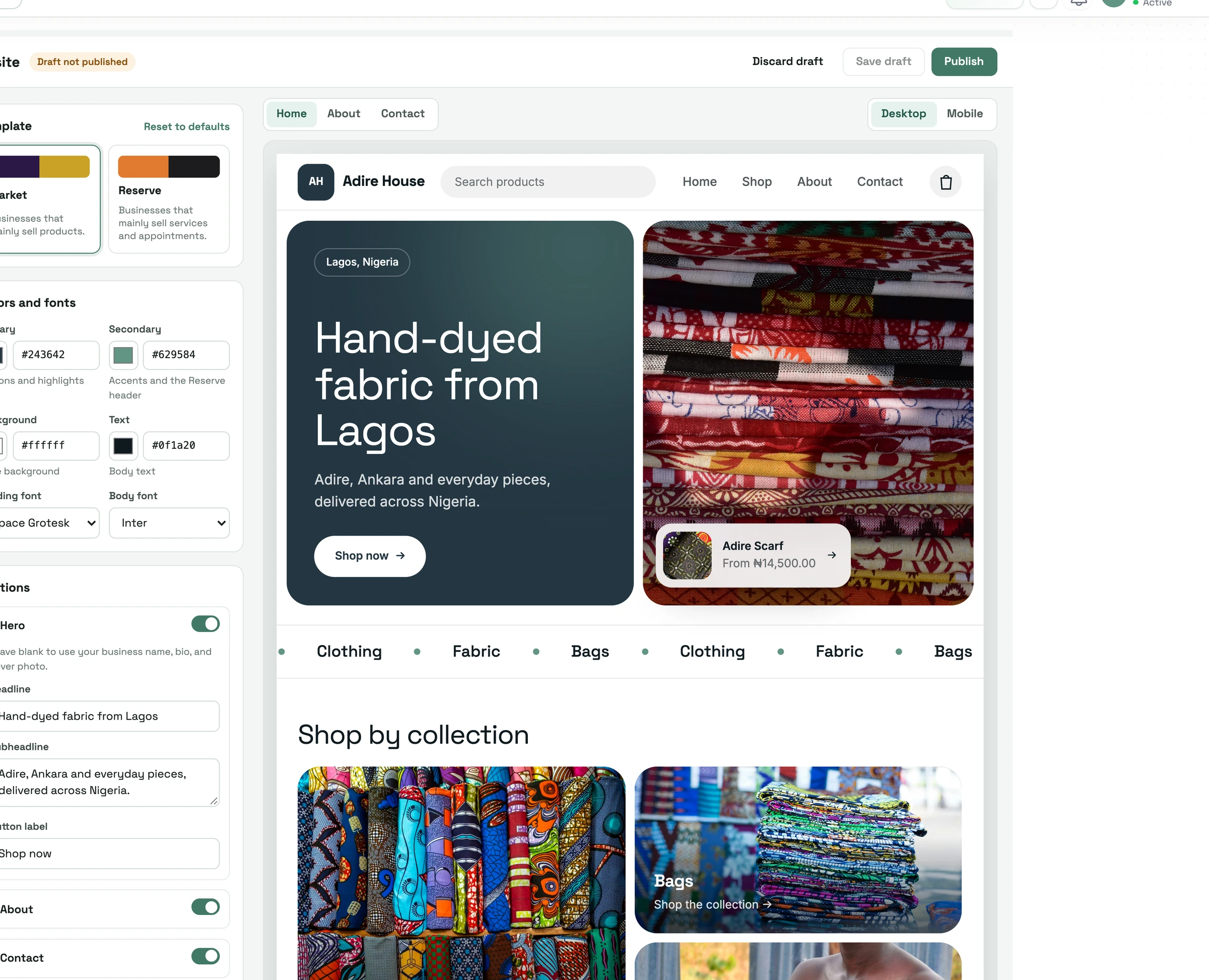
Pick a template, add your colours, and publish. Your products, services and prices come straight from your catalog, so there is nothing to enter twice.

The builder shows your site as you edit. Save a draft, switch templates, and only publish when you are ready. No developer needed.
Point of sale
Open Sevigram POS on a tablet at your counter. Every sale updates your stock, your orders and today’s report without you touching a spreadsheet.
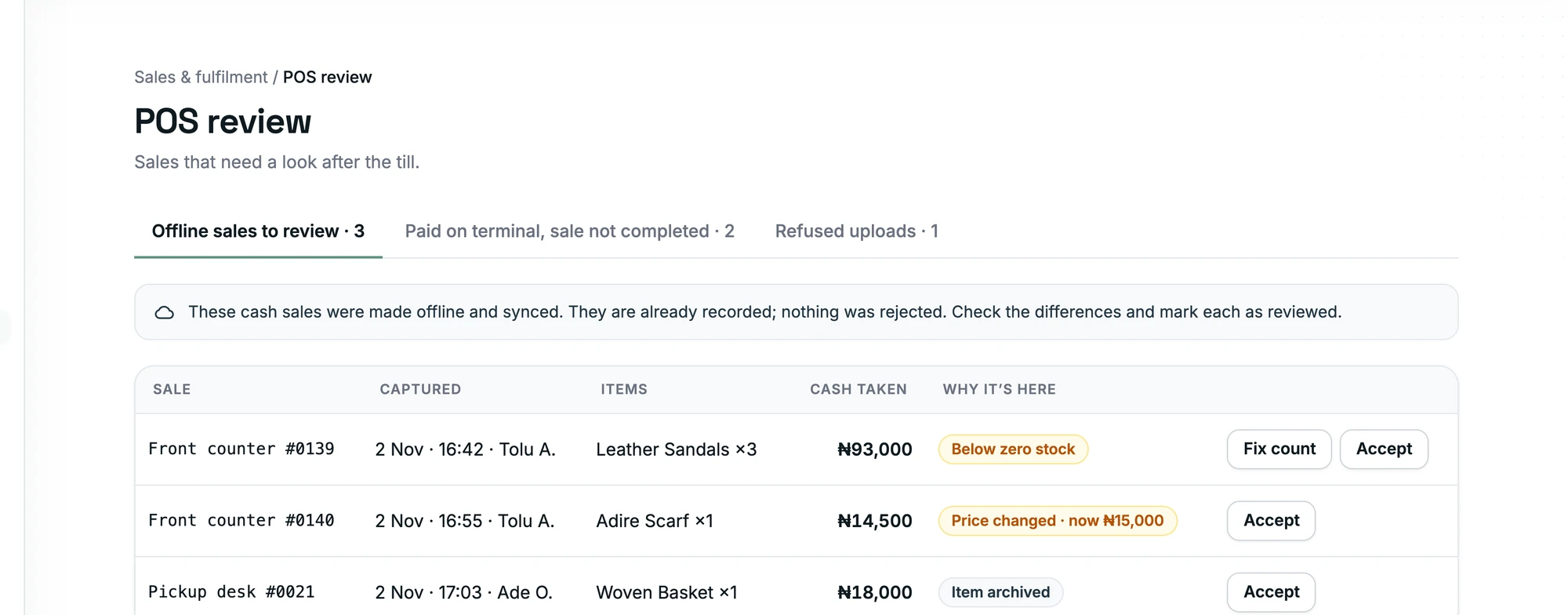
Sales are saved on the approved tablet and sync the moment you are back online.
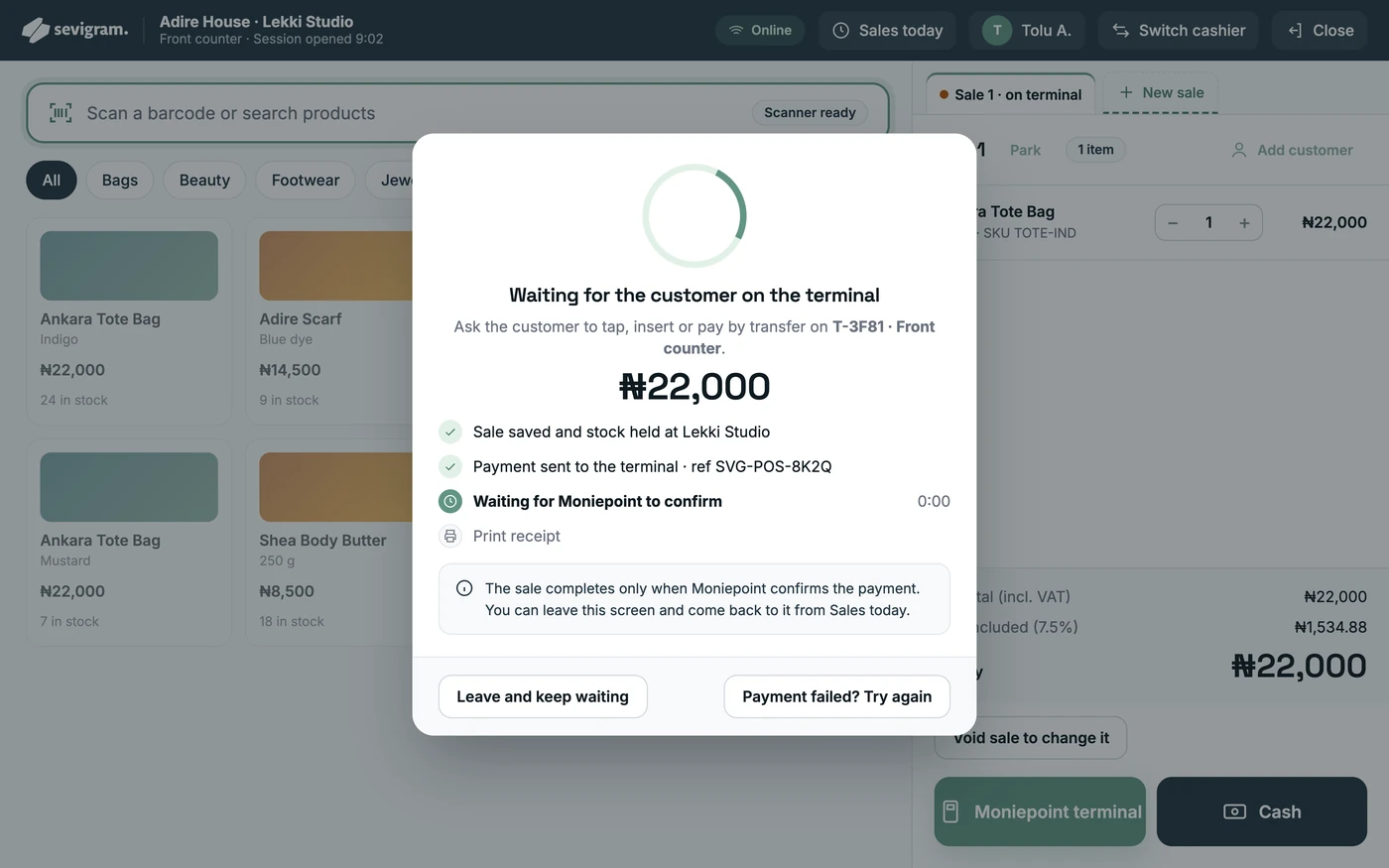
Send the amount to your terminal. The sale completes when Moniepoint confirms the payment.
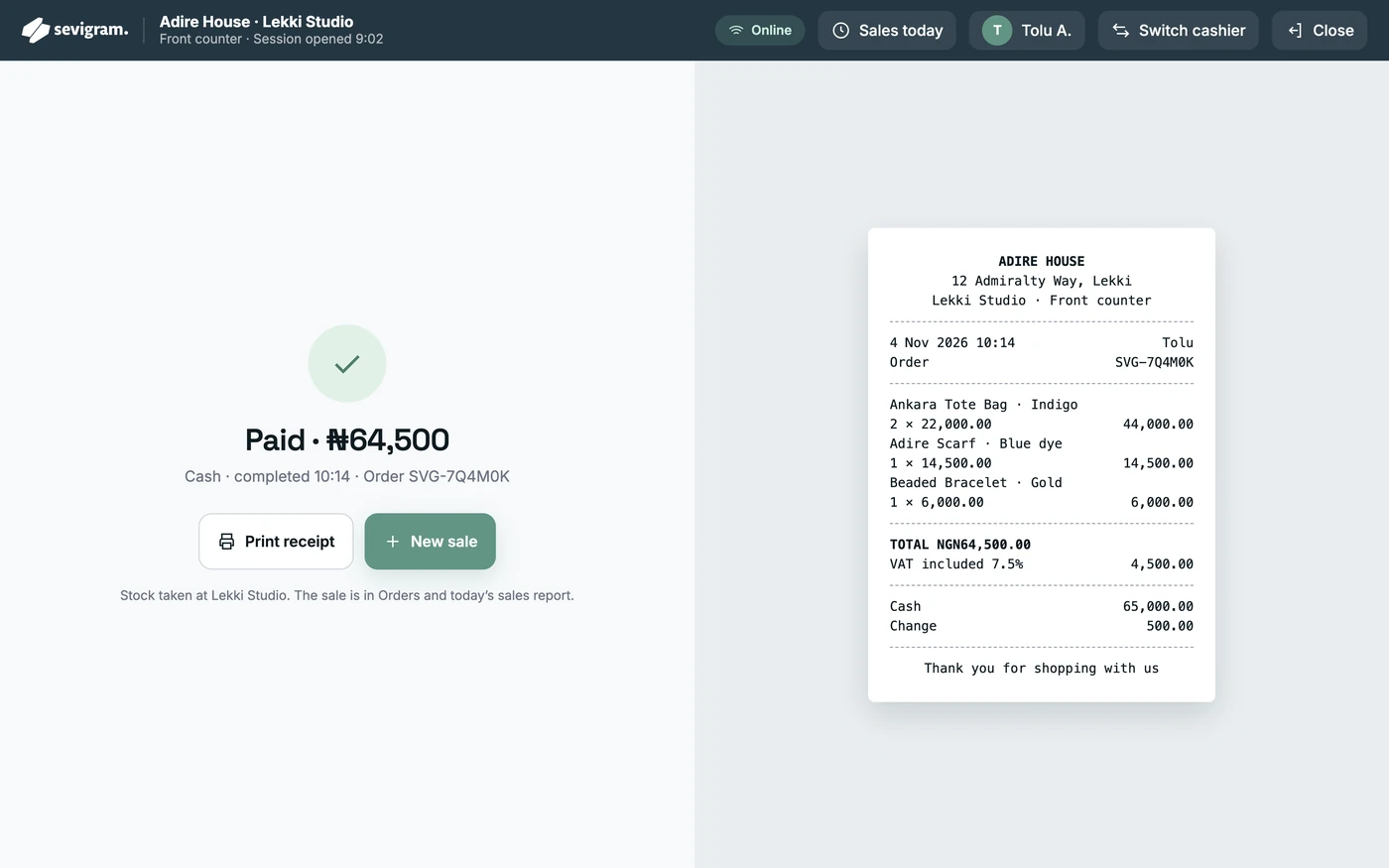
Print the receipt. The sale lands in Orders and today’s report, and stock comes off that location.
Day-to-day operations
The work that usually lives in notebooks and WhatsApp chats, kept together and easy to find.
See what needs attention, confirm work and chase payment from the Sevigram Business app.
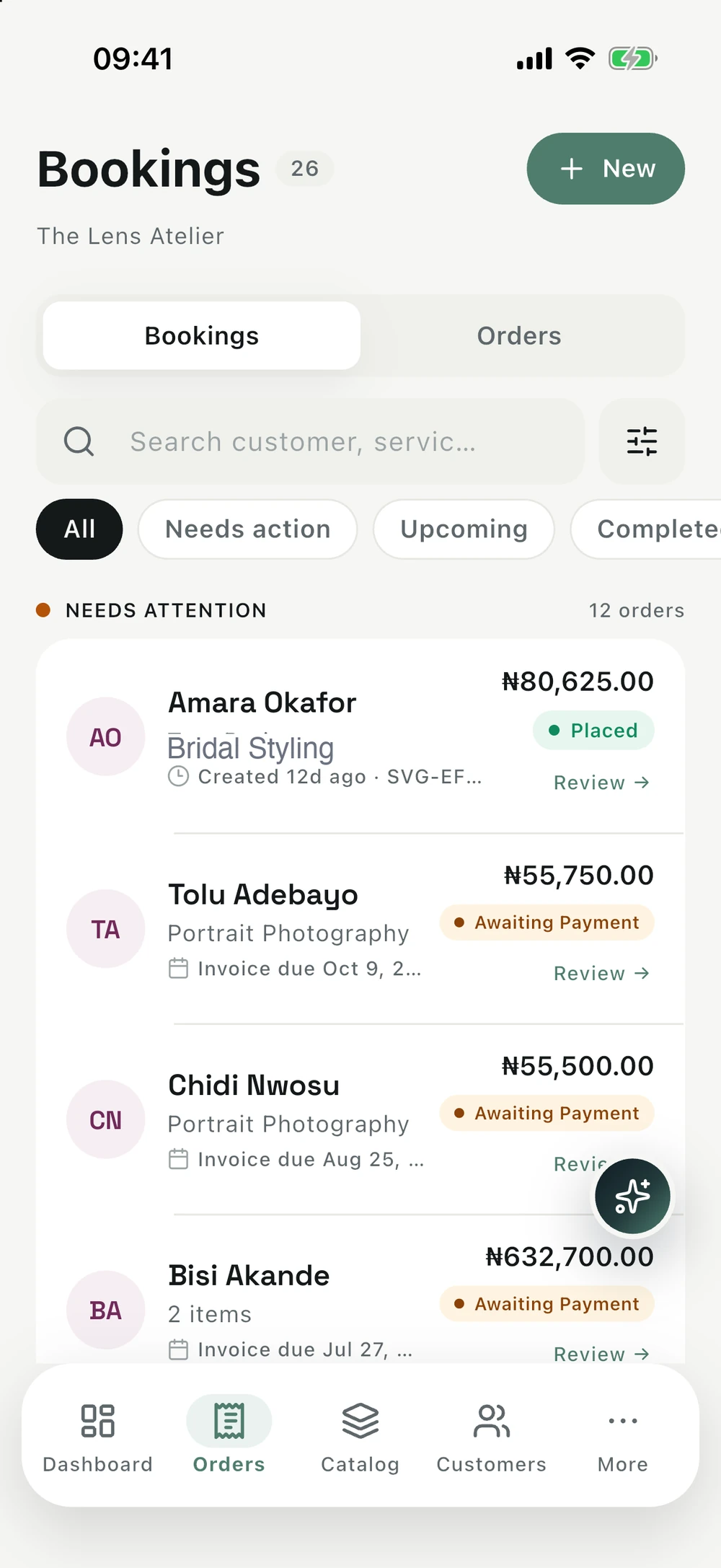
Track variants by shop or warehouse. A sale anywhere takes stock from the right place.
Send a quote, turn it into an invoice, and see what is still outstanding. Totals calculate for you.
Keep contacts in one list, or import the ones you already have.
Log spending or import a CSV or Excel file, and see money in against money out.
Share finished files with clients and track each delivery.
Set staff permissions and get reminders to look after equipment.
Insights
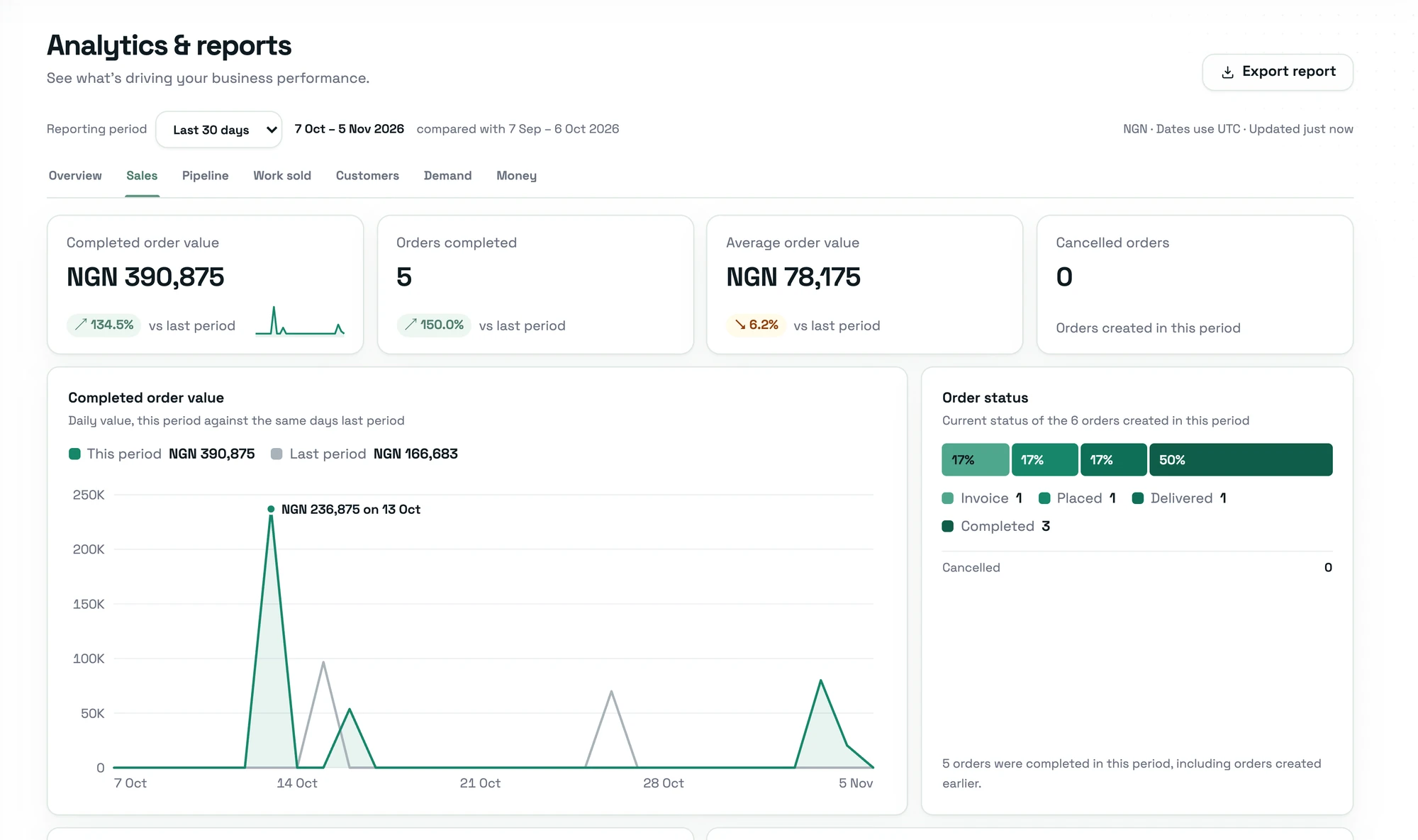
Reports on sales, money, customers and demand, plus an assistant you can simply ask.
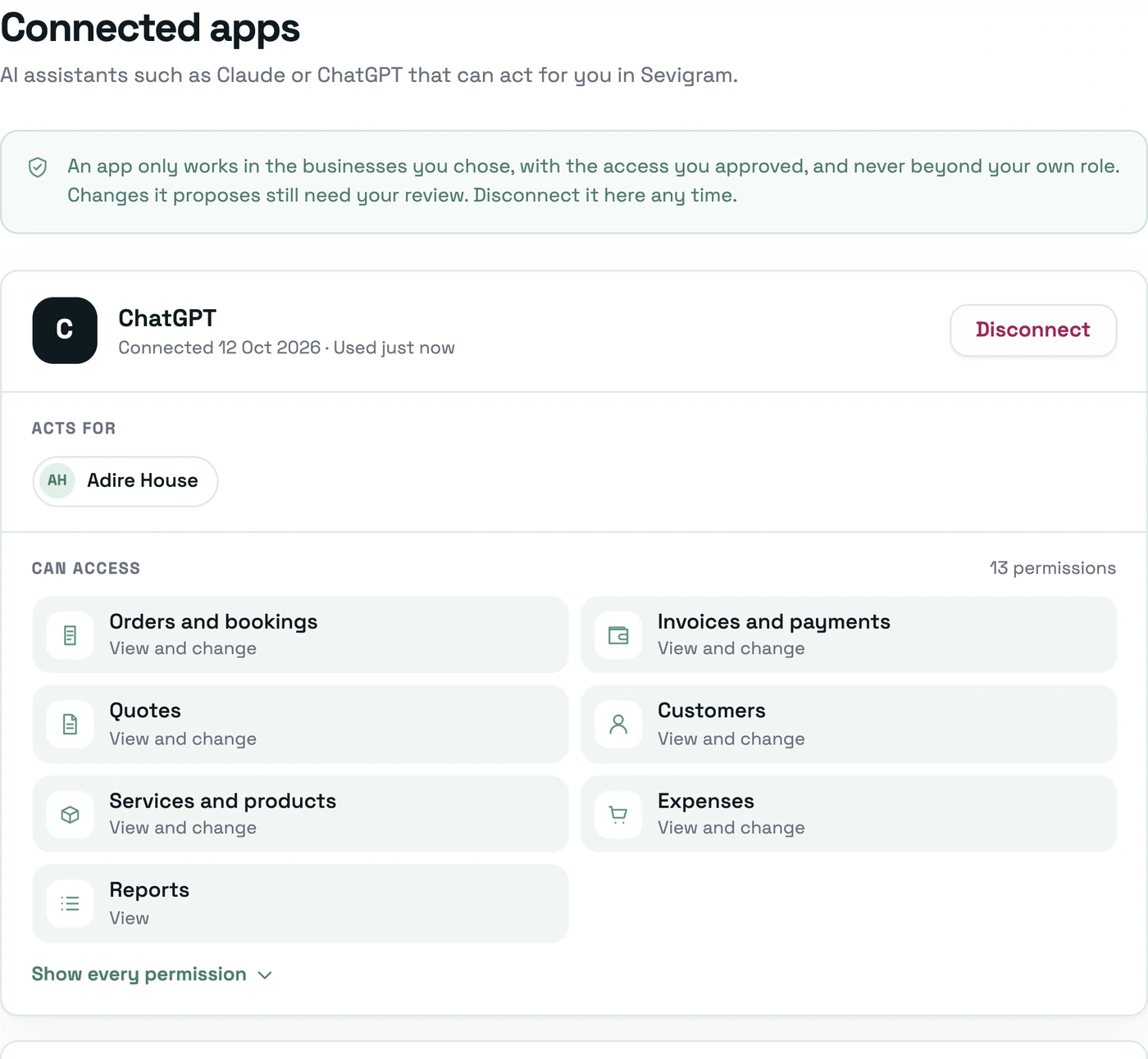
Connect Sevigram to ChatGPT or Claude, then check and update your real business records just by asking. No exports, no copying and pasting.
What it can work with
Built on MCP, the open standard for connecting AI apps to the tools you use.
Your AI app, connected to Sevigram
Adire HouseHow much did my business sell last month?
Adire House collected ₦1,320,000 in October, up from ₦1,084,000 in September.
Send Ada the invoice for the fabric order.
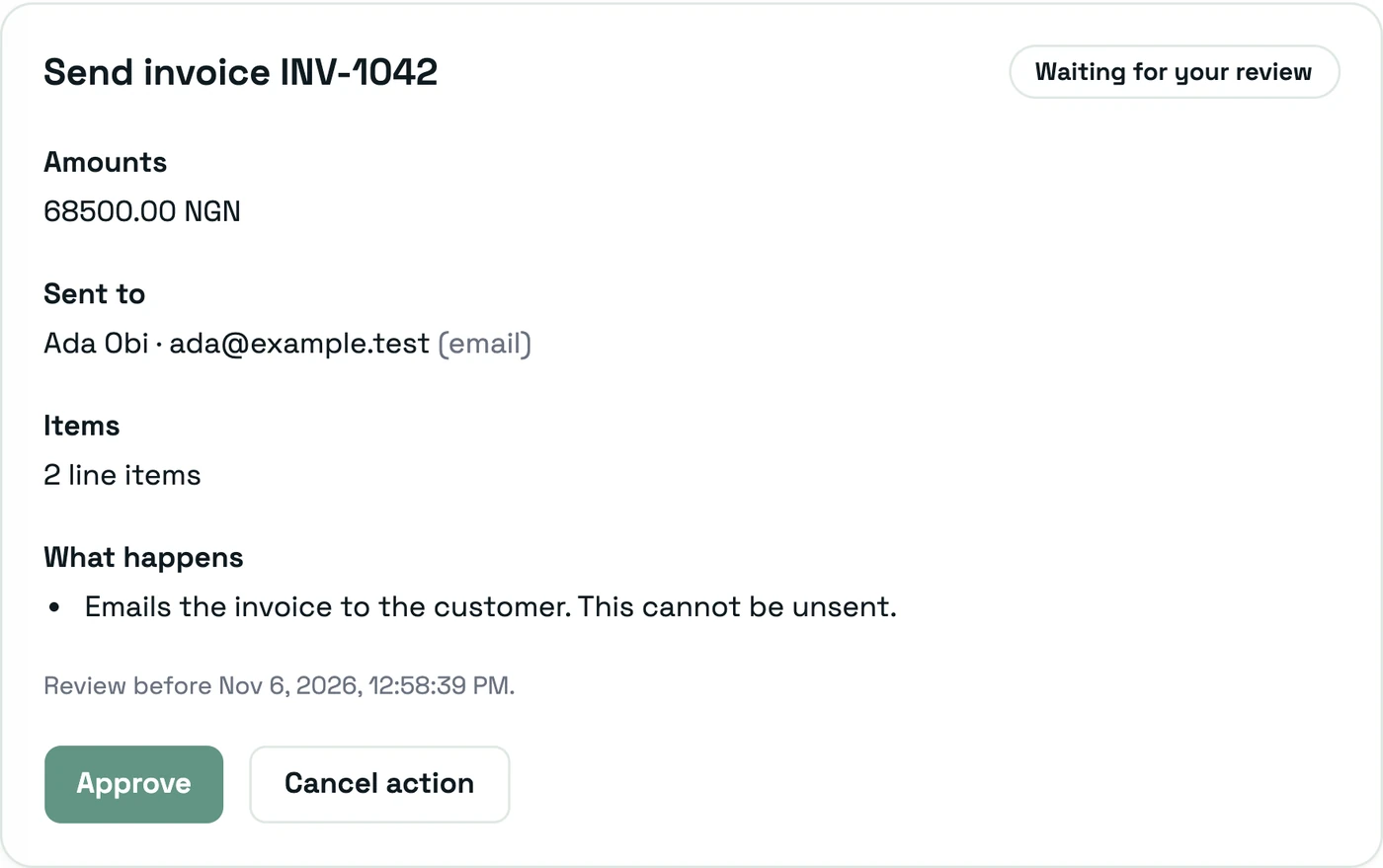
Invoice INV-1042 for ₦68,500 is ready. Nothing has been sent yet. It goes out once you approve it in Sevigram.
Review in SevigramGet answers from your live records, without opening a report.
The app shows you the change. Confirm it, and it’s done.
These wait for your approval on a review page in Sevigram.
Who it’s for
Join Sevigram and you also get a public profile on the marketplace, so customers near you can find, compare and book you. Verified businesses earn a badge that shows you are the real thing.

Till, stock and a website for your shop.

Online bookings, plus products at the counter.

Quotes, invoices and file delivery for client work.
Getting started
Most businesses are verified and ready within about 48 hours.
Step 1
Add your details, then complete verification with your ID or CAC registration.
Step 2
Build your catalog of products and services, with prices and stock for each location.
Step 3
Publish your website, open your till, and share your link with customers.
Still unsure? Email [email protected]
No. There is no fee to join or list what you sell. Sevigram charges a commission on completed marketplace bookings, deducted when you withdraw your earnings.
No. You build your website inside Sevigram from your own catalog, pick a template, and publish it at yourbusiness.sevigram.biz.
An approved tablet keeps selling for cash. Sales are saved on the tablet and sync when you are back online, then you check them in POS review.
Moniepoint. Connect your Moniepoint account in Settings, add your terminals, and send a sale straight to the terminal from the till. You can also run the till for cash only.
Yes. One catalog holds both, so a salon can take bookings and sell its hair products from the same account.
Add Sevigram to ChatGPT or Claude, sign in, and approve the connection. You choose which businesses and permissions it gets, and it then appears under Settings, Connected apps.
Routine changes run only after you confirm them in the app. Anything that contacts a customer, records or reverses a payment, issues a document, deletes a record or imports in bulk waits for your approval in Sevigram. Nothing moves money.
Yes. Invite team members and control what each person can see and do. Cashiers get their own 4-digit PIN on the till.
Set up your account today. There is no setup fee.
Start your business